
General Commitment#
I, Jarrod J Scott, am committed to ensuring digital accessibility for all people. I am continually improving the user experience for everyone and applying the relevant accessibility standards to ensure my research, teaching materials, and blog posts are universally available.
Conformance Status#
The Web Content Accessibility Guidelines (WCAG) defines requirements for designers and developers to improve accessibility for people with disabilities. It defines three levels of conformance: Level A, Level AA, and Level AAA.
This website is partially conformant with WCAG 2.1 Level AA. Partially conformant means that some parts of the content may not fully adhere to the strict accessibility standard at all times (for example, older legacy research PDFs or reproducible workflows may lack full screen-reader optimization).
Feedback & Alternative Formats#
I welcome your feedback on the accessibility of this website. If you encounter accessibility barriers or require alternative formats for any of my publications, lecture slides, or datasets (such as a plain text version, a tagged PDF, or high-contrast graphics), please let me know.
I aim to respond to all accessibility requests within 2–3 business days.
- Contact Method: Please use the Contact Form on this website.
- Alternative Contact: Direct Email
Technical Specifications#
Accessibility of this website relies on the following technologies to work with the particular combination of web browser and any assistive technologies or plugins installed on your computer:
- HTML
- WAI-ARIA
- TeX
- CSS
- JavaScript
These technologies are relied upon for conformance with the accessibility standards used.
Assessment Approach#
I regularly evaluate this site’s layout, text contrast, keyboard navigation, and image alt-text to maintain an inclusive digital space.
Site Features#
This site has a few features that I hope will increase accessibility. In the navigationn bar at the top of each page there are three option that allow you to modify the look of the site:
a) Accessibility options,
b) Light & dark mode toggle,
c) Color theme picker.
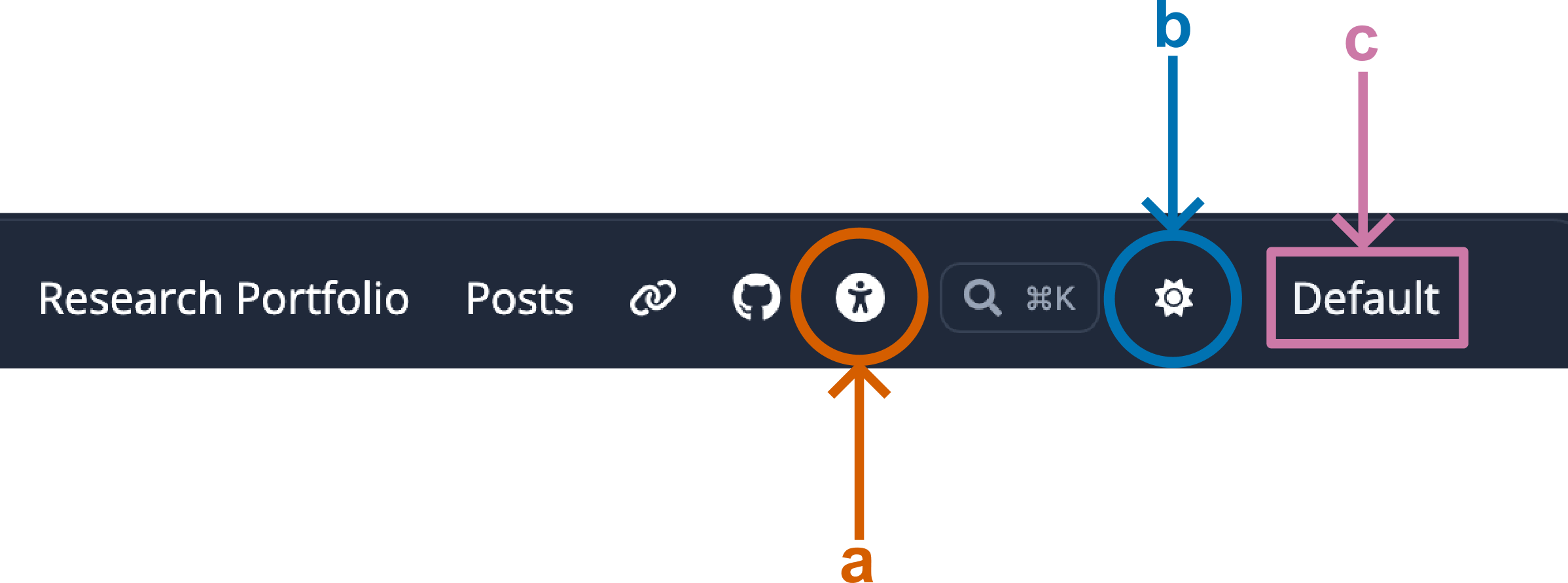
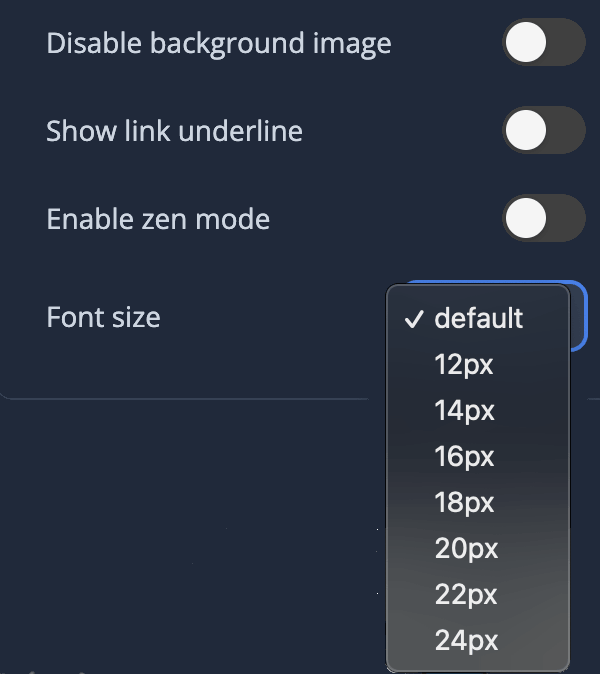
If you click the Accessibility icon (a) a dropdown will appear giving you several additional options including changing the default font size.
I also have a post on designinging Accessible Color Palettes for data visualization. After all, why not strive for accessibility across the board.